Physical Address
304 North Cardinal St.
Dorchester Center, MA 02124

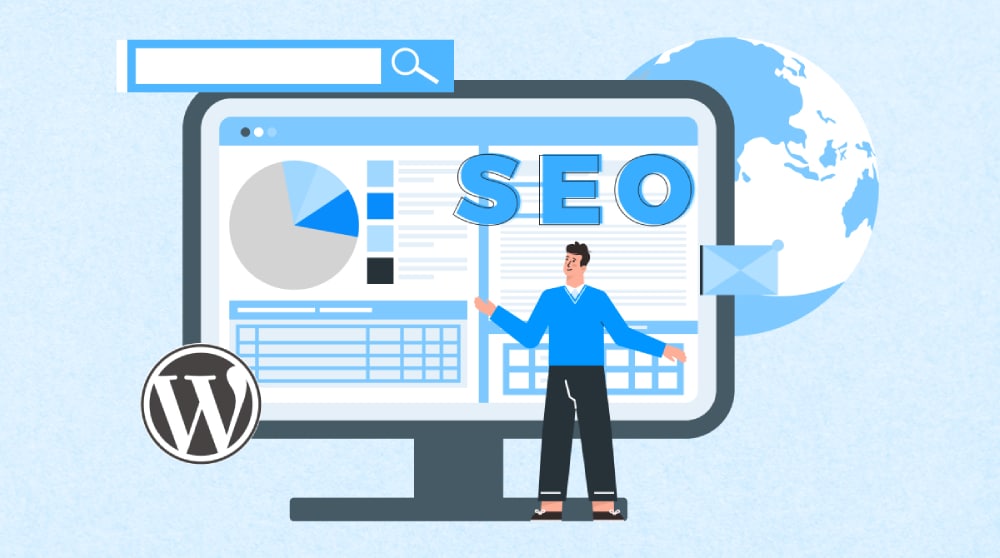
Maintaining an SEO-friendly website is crucial for ensuring that your site ranks well in search engine results, attracts organic traffic, and provides a great user experience. With its user-friendly interface and extensive customization options, WordPress is a popular choice for creating and maintaining SEO-optimized websites. In this article, we will guide you through the essential steps to keep your WordPress site SEO-friendly.
Table of Contents
SEO plugins are essential for WordPress websites because they simplify the optimization process. These plugins help you manage critical SEO tasks such as meta tags, sitemaps, breadcrumbs, and more, without needing to touch the code. They also offer actionable insights and suggestions to improve your on-page SEO, making it easier for your content to rank higher in search engine results.
There are several SEO plugins available for WordPress, each with its unique features:
Yoast SEO: Perhaps the most popular SEO plugin, Yoast SEO offers a comprehensive set of tools for optimizing your content, managing meta tags, generating XML sitemaps, and much more. It also provides readability analysis to help you write content that’s easy to read and understand.
All in One SEO: This plugin offers a robust set of SEO features, including advanced support for eCommerce, local SEO, and schema markup. It’s a great choice for those looking for a powerful yet easy-to-use SEO tool.
Rank Math: Known for its user-friendly interface, Rank Math combines the features of several SEO plugins into one, making it an excellent choice for beginners and advanced users alike.
Once you’ve chosen an SEO plugin, it’s essential to set it up correctly:
Install and Activate the Plugin: Go to your WordPress dashboard, navigate to Plugins > Add New, search for your chosen plugin, and click “Install Now.” Once installed, activate the plugin.
Configure Basic Settings: Each plugin comes with a setup wizard that guides you through the basic configuration process. Follow the prompts to configure essential settings like site name, meta descriptions, and sitemaps.
Optimize Content: Use the plugin’s tools to optimize your existing content. Pay attention to suggestions for improving meta titles, descriptions, and keyword usage.
Permalinks are the URLs of your website’s pages and posts. A well-structured permalink is crucial for SEO because it helps search engines understand the content of the page. Clear, descriptive URLs are also more likely to be clicked by users.
WordPress offers several permalink structure options:
?p=123)./2024/08/21/sample-post/)./2024/08/sample-post/)./sample-post/).For most websites, the Post Name structure is the best choice because it’s short, descriptive, and easy for both users and search engines to understand.
When creating new posts, customize your permalinks to include relevant keywords. For example, if you’re writing a post about SEO tips, a permalink like /seo-tips/ is more effective than /post123/. Ensure that the URL is concise and directly related to the content of the post.
Also read : Ultimate Guide to WordPress SEO: Tips and Tricks
Your WordPress theme plays a significant role in your site’s SEO. A poorly coded theme can slow down your site, hinder mobile responsiveness, and negatively impact your rankings. On the other hand, an SEO-friendly theme can enhance your site’s performance and visibility.
When selecting a theme, look for the following features:
Here are a few popular SEO-friendly themes:
Content is the backbone of SEO. High-quality, relevant content not only engages your audience but also signals to search engines that your site is authoritative and trustworthy. Regularly updating your content and keeping it relevant is essential for maintaining your SEO rankings.
Keyword research is a critical component of content optimization. Use tools like Google Keyword Planner, Ahrefs, or SEMrush to find keywords that your target audience is searching for. Once you’ve identified your keywords, strategically place them in your content, including:
Meta titles and descriptions are what users see in search engine results. Craft compelling meta titles and descriptions that include your primary keywords. Keep the title under 60 characters and the description under 160 characters to ensure they’re fully displayed in search results.
Using headings (H1, H2, H3, etc.) not only makes your content easier to read but also helps search engines understand the structure of your content. Ensure that your primary keyword is included in the H1 tag and that subheadings are used to organize your content logically.
Internal linking is the practice of linking to other pages or posts within your website. This strategy helps spread link equity (ranking power) across your site and improves the user experience by guiding visitors to related content.
To maximize the benefits of internal linking, follow these best practices:
Several plugins can assist with internal linking, such as:
Images are essential for engaging users, but they can also slow down your site if not optimized correctly. Optimizing images improves your site’s load time and contributes to better SEO.
Follow these best practices to optimize images for SEO:
seo-friendly-website.png).Several plugins can help you optimize images automatically:
Website speed is a crucial factor for SEO. A fast-loading site provides a better user experience and is more likely to rank higher in search engine results. Slow websites can lead to higher bounce rates and lower rankings.
Here are some effective ways to improve your website’s speed:
To monitor and improve your website’s speed, use these tools:
With the increasing use of mobile devices, having a mobile-friendly website is essential for SEO. Google’s mobile-first indexing means that the mobile version of your site is considered the primary version for ranking purposes.
Responsive themes automatically adjust the layout of your website to fit different screen sizes. Choose a theme that is optimized for mobile devices to ensure a seamless user experience across all platforms.
You can test your site’s mobile-friendliness using the following tools:
Regular updates are essential for maintaining a secure and SEO-friendly website. Outdated content and plugins can negatively impact your rankings and leave your site vulnerable to security threats.
Google values fresh content, so regularly updating your posts and pages can improve your rankings. Revisit older content and update it with new information, images, and keywords to keep it relevant.
Ensure that your WordPress plugins and themes are always up-to-date. Developers regularly release updates to fix bugs, improve performance, and enhance security, all of which can impact your site’s SEO.
Maintaining an SEO-friendly website is an ongoing process that requires continuous monitoring and adjustments. Regularly analyzing your site’s performance helps you identify areas for improvement and refine your SEO strategy.
Several tools can help you monitor and analyze your SEO performance:
Use the data from these tools to analyze your website’s performance. Identify which pages are performing well and which need improvement. Adjust your content, keyword strategy, and technical SEO elements based on the insights you gather.
Maintaining an SEO-friendly WordPress website is crucial for achieving long-term success in search engine rankings. By following the steps outlined in this guide, you can ensure that your website remains optimized, user-friendly, and relevant to your audience. Remember that SEO is an ongoing process, so continually monitor your performance and make necessary adjustments to stay ahead of the competition.
An SEO plugin helps optimize your WordPress site for search engines by managing tasks like meta tags, sitemaps, and more, making it easier for your content to rank higher.
An SEO-friendly theme is fast-loading, responsive, and coded cleanly. It should also support schema markup and be compatible with SEO plugins.
Focus on keyword research, proper placement of keywords, and writing compelling meta titles and descriptions. Use headings (H1, H2) to structure your content effectively.
Internal linking helps distribute link equity across your site, improves user experience, and helps search engines discover and index your content more efficiently.
Use descriptive file names, add alt text with relevant keywords, choose the right file format (JPEG or PNG), and compress images to improve site speed.
A fast website enhances user experience and improves search engine rankings. You can improve speed by using caching plugins, optimizing images, and minimizing CSS/JS files.
Choose a responsive theme, test your site’s mobile-friendliness using tools like Google’s Mobile-Friendly Test, and ensure that all elements load correctly on mobile devices.
Regularly update your content to keep it fresh and relevant. Also, ensure that your plugins and themes are always up-to-date to maintain security and performance.