Physical Address
304 North Cardinal St.
Dorchester Center, MA 02124

7 min read
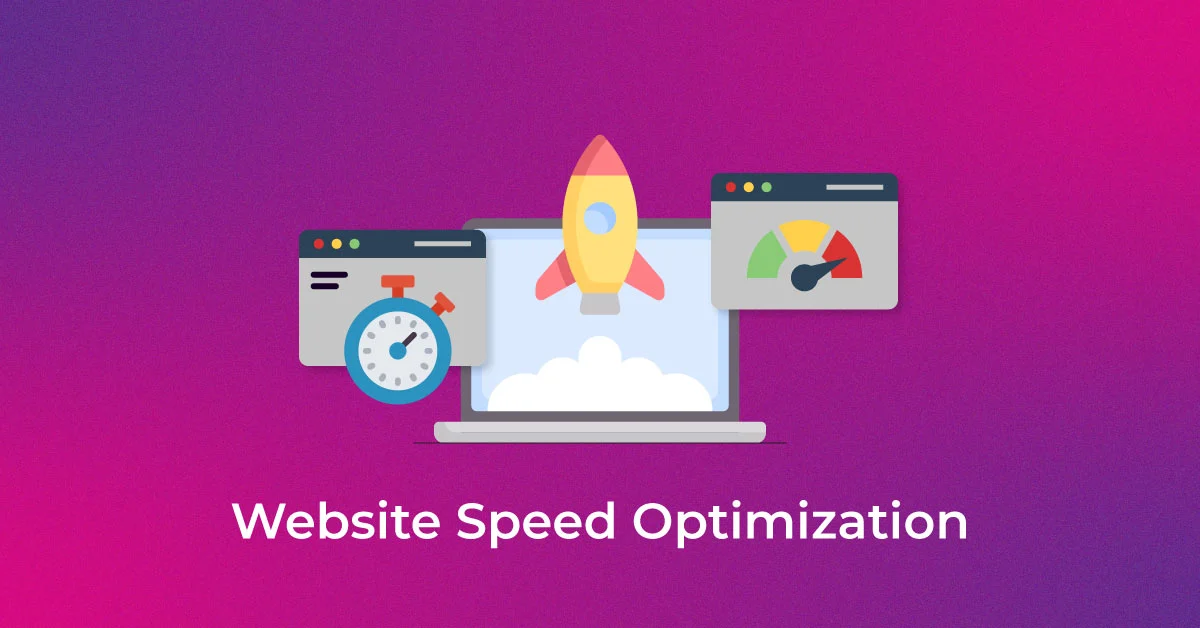
Website speed plays a major role in online success. Visitors can become frustrated with a slow-loading site, leading to conversions being reduced and a negative impact on search engine rankings. Whether you run a blog, business site, or online store, improving the performance of your WordPress website should always be a priority.
Many website owners focus only on design and content while ignoring speed optimization. However, even the best-looking website can lose visitors if pages take too long to load. Understanding the key factors behind performance can help you create a faster and more reliable website experience.
Table of Contents
A fast website improves both user experience and SEO performance. Search engines like Google consider loading speed as an important ranking factor, meaning slower websites may struggle to appear higher in search results.
A faster website can help:
Running a regular WordPress speed test helps identify performance issues before they affect your website traffic.
One of the biggest factors affecting website speed is your hosting environment. Poor-quality servers often lead to slow loading times, downtime, and performance instability.
Choosing optimized WordPress hosting ensures:
A good hosting provider creates a strong foundation for a high-performing website.
Heavy themes and poorly coded plugins can significantly slow down your website. Many users install unnecessary features that consume server resources and slow down loading times.
To improve performance:
A clean and optimized WordPress website performs much better across desktop and mobile devices.
The use of large image files is one of the most common reasons for websites to become slow. Uploading uncompressed images increases loading time and affects user experience.
You can improve performance by:
Image optimization is one of the easiest ways to improve website speed quickly.
Caching stores temporary versions of your pages so they load faster for returning visitors. Without caching, your server processes the same requests repeatedly, which slows down performance.
Benefits of caching include:
Caching is especially important for websites with high traffic volumes.
Caching stores temporary versions of your pages so they load faster for returning visitors. Without caching, your server processes the same requests repeatedly, which slows down performance.
Benefits of caching include:
Caching is especially important for websites with high traffic volumes.
A CDN helps distribute your website content across multiple global servers. Instead of loading content from one location, users receive data from the nearest server available.
This improves:
Combining a CDN with optimized WordPress hosting creates a much faster website environment.
Website optimization is not a one-time task. Performance can change over time due to plugin updates, content additions, or increased traffic.
Running a regular WordPress speed test helps track:
Regular monitoring allows website owners to identify issues early and maintain stable performance.
Many websites load external scripts from ads, fonts, social media widgets, and tracking tools. While useful, too many external resources can slow down your site.
To improve speed:
Reducing unnecessary elements creates a cleaner and faster browsing experience.
Some performance issues require technical expertise to resolve properly. Working with a professional WordPress support agency can help identify advanced optimization opportunities and fix technical bottlenecks.
Professional support can assist with:
Expert guidance often saves time while delivering better long-term results.
Improving website performance is essential for creating a successful WordPress website. From choosing reliable WordPress hosting to optimizing images and running a regular WordPress speed test, every improvement contributes to a better user experience and stronger search rankings.
Fast-loading websites not only attract more visitors but also improve engagement and conversions. For businesses looking to maintain top performance and reliable support, working with a trusted WordPress support agency can make a significant difference.
For more WordPress optimization tips, tutorials, and expert insights, follow WP Gyani.
It is highly advisable to protect your WordPress login since it is a common point of attack on any website. It protects all your valuable information and helps you retain the confidence that users have in you.
Thus, the passwords with high levels of security are those that require letter casing, numeracy, and the use of symbols. They are significant in the sense that they provide difficulty to anyone intent on obtaining your login details and therefore, act as a means of increasing the security on your site.
Two-factor authentication 2FA enhances the security reinforcement of an account by enforcing another sort of identification aside from a password. This makes it easier for outsiders not to gain access to your site as compared to the previous case.
To restrict login attempts, there are plugins that one can use, for instance, the Limit Login Attempts Reloaded and Loginizer among others. These plugins assist in avoiding brute force attacks, that is if the number of logins from one IP address is limited.
CAPTCHA is very useful in that it can be used to prevent hackers from accessing a website by cycling through word lists to guess a username/password by presenting the user with a task that the computer cannot do. This provides an extra layer of protection to minimize any unauthorized person to log into the system.
As for the fact that the attackers can find your login page naturally, it is necessary to note that changing the default login URL directly affects this factor and minimizes the chances of an attacker finding the account login page. This elementary change will go a long way in increasing the security of your site.
SSL or (Secure Socket Layer) is a form of data encryption that takes place between your browser and server to ensure that communication is secure. One has to make sure that the login credentials and other confidential information cannot be diverted to internet attackers.
Some of the plugins you can use for monitoring and logging login activities include; the WP Security Audit Log and Activity Log. Some of these tools are log-in attempts tracking mates and presenting detailed reports making it easy for one to follow suspicious movements and or signs of security breaches.
It aids in keeping your WordPress core, themes as well as plugins abreast with the current security updates or patches. Another advantage of having frequent backups is that it is easy to restore your site in case it has been attacked thus reducing time lost and information that may have been compromised.
If managing the security of your site becomes difficult or if you do not have the knowledge on how to administer more complicated security measures then it might be worth hiring professional security services. Expert gives full coverage and constant surveillance so that your site will not be vulnerable.